×
Download Easybook App For More Discounts!
Scan Me!
Loading...
×
新用户首次购买巴士票可享有高达
52%
折扣仅限巴士票!
了解更多
Toggle navigation
登录
登录
注册
最近搜索
新加坡
马来西亚
印度尼西亚
泰国
越南
緬甸
柬埔寨
寮国
文莱
菲律宾
货币
USD
美金
SGD
新币
RM
马币
IDR
印尼盾
THB
泰铢
VND
越南盾
MMK
缅甸缅元
CNY
人民币
LAK
Lao kip
PHP
Philippine Peso
Language
ภาษาไทย
English
中文
联系我们
Pages
促销信息
最新消息
如何预订
成为easybook供应商
联盟计划
会员计划
巴士票
巴士公司
巴士车站
火车票
Train Operators
火车站
船票
Ferry Operators
Ferry Terminals
租车
Local Tours
Hotels
车辆包租
常见问题
关于我们
联系我们
网站地图
相关链接
隐私政策
使用条款
刊登广告
Gift Card
|
TH
Easy steps to make payment via Paypal
Home
Easy steps to make payment via Paypal
A simple & helpful step by step guide on how to make payment via Paypal.
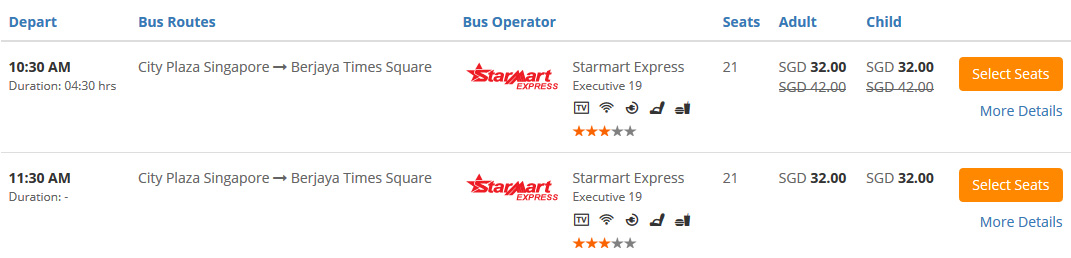
Step 1 - Search Your Trips & Choose Seat(s)
Select your Origin, Destination, Departure Date, Departure Time and etc. Click
"Search for Buses"
.
Select your desired trip. Click
"Select Seats"
Choose your desired seat(s).
Click
"Continue"
(If you book 1 way trip). Click
"Go to Returning Trips"
(If you book round trip).
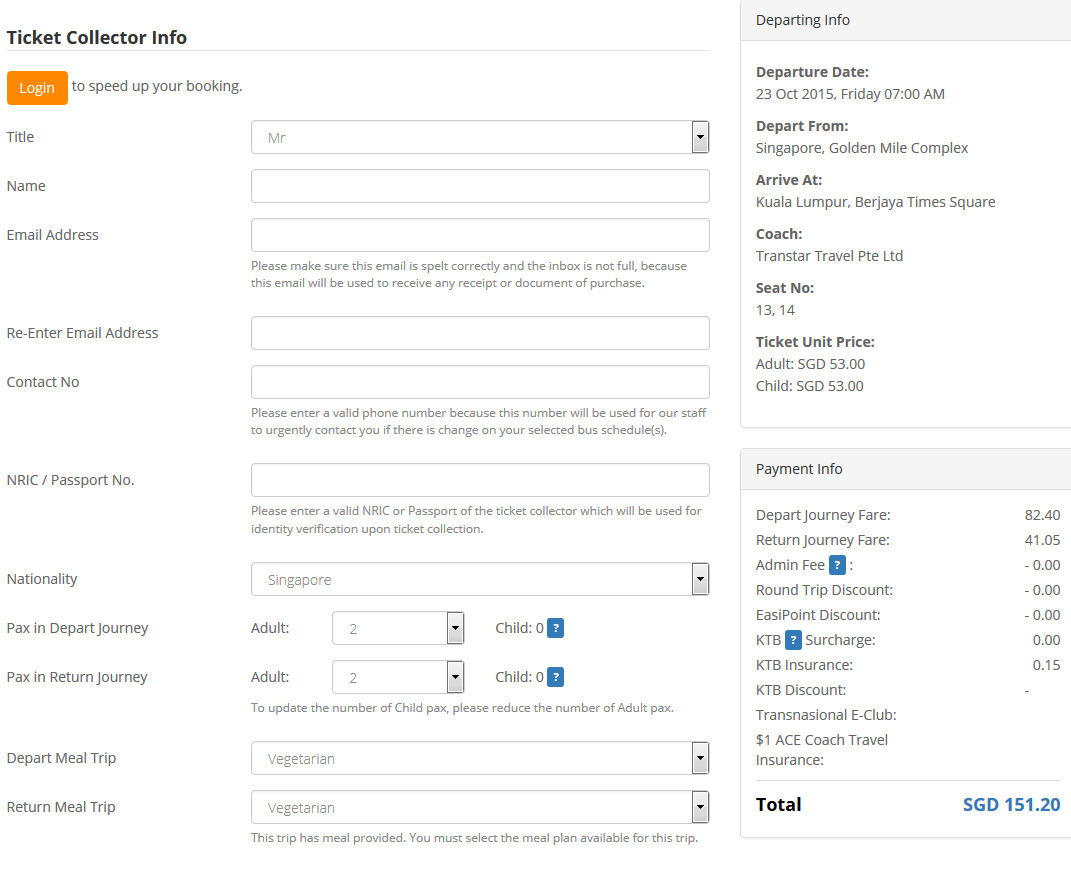
Step 2 - Fill In Details & Pay
Fill in the
Ticket Collector Info
Double check the
Journey & Payment Details
.
Key in the
Discount Code
if you have one, click
"Apply Code"
.
Select Paypal payment option.
Remember to tick to agree to Easybook's
Ticketing Policy
.
Click
"Pay Now"
.
You will be prompted to confirm your total number of tickets and total amount that you are going to pay are correct. Click
"OK"
and proceed.
You will come to Paypal payment page.
Double check your booking summary. (You will be charged 1.5% + SGD 0.50 as a processing fee).
Fill in all the details.
Click
"Pay"
Upon payment sucessful, an Order Summary will be sent to your email automatically.
You are required to show the Order Summary when boarding. (You may print it out or show through mobile phone)
全球网站
我们接受
SGD
RM
IDR
THB
VND
USD
RMB
MMK
BND
CNY
LAK
会员
*仅高价于柜台价格0.01%
**仅适用于没有使用折扣码的交易
***部分行程折扣已包含于票价中(低于柜台价)
*图片仅供参考
* 行程时间仅为估计时间。