A simple & helpful step by step guide on how to make payment via Paypal.
Step 1 - Search Your Trips & Choose Seat(s)
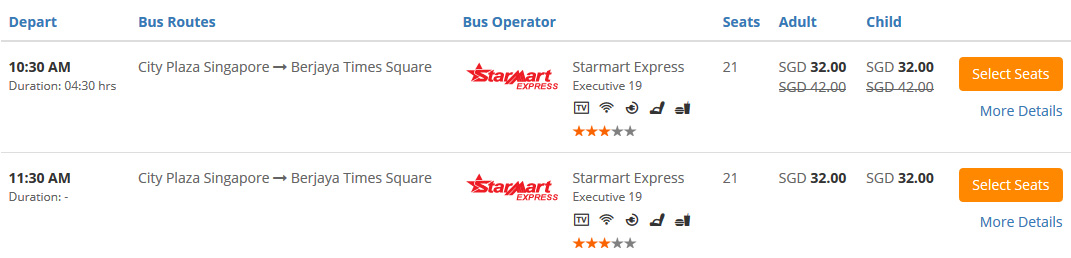
Select your Origin, Destination, Departure Date, Departure Time and etc. Click "Search for Buses".
Select your desired trip. Click "Select Seats"
Choose your desired seat(s).
Click "Continue" (If you book 1 way trip). Click "Go to Returning Trips" (If you book round trip).
Step 2 - Fill In Details & Pay
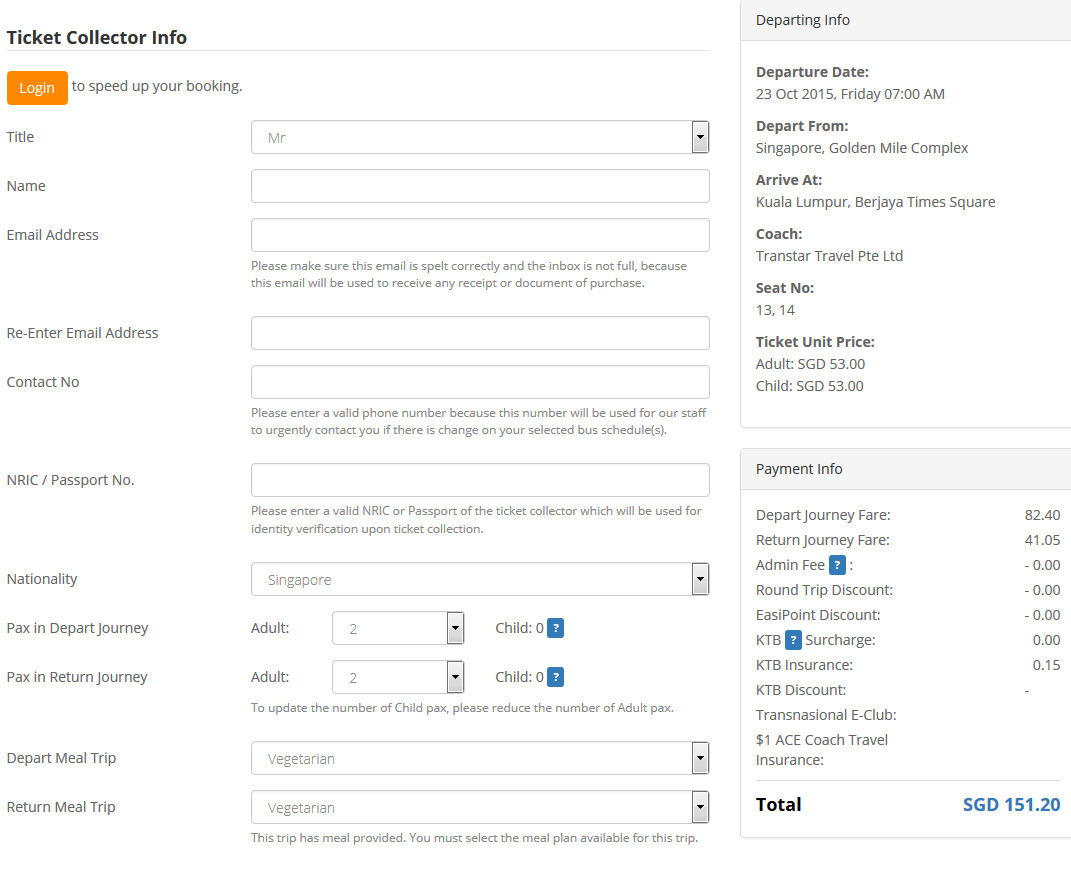
Fill in the Ticket Collector Info
Double check the Journey & Payment Details.
Key in the Discount Code if you have one, click "Apply Code".
Select Paypal payment option.
Remember to tick to agree to Easybook's Ticketing Policy.
Click "Pay Now".
You will be prompted to confirm your total number of tickets and total amount that you are going to pay are correct. Click "OK" and proceed.
You will come to Paypal payment page.
Double check your booking summary. (You will be charged 1.5% + SGD 0.50 as a processing fee).
Fill in all the details.
Click "Pay"
Upon payment sucessful, an Order Summary will be sent to your email automatically.
You are required to show the Order Summary when boarding. (You may print it out or show through mobile phone)
Trang web toàn cầu:
Chúng Tôi Chấp Nhận:
SGD
RM
IDR
THB
VND
USD
RMB
MMK
BND
CNY
LAK
Thành Viên của:
* Chỉ có 0.01% chuyến đi có giá cao hơn giá tại quầy.** Chỉ áp dụng cho các giao dịch không dùng mã giảm giá và các chuyến được cung cấp bởi một số công ty nhất định.*** Chỉ áp dụng cho một số tuyến nhất định, giá ghi trên vé là giá đã giảm (thấp hơn so với giá tại quầy).* Hình ảnh xe chỉ để tham khảo.* Thời lượng chuyến đi chỉ mang giá trị ước tính.